
How to Use Claude in 2026: From First Chat to Cowork (4 Levels, Beginner to Pro)
Most people use Claude like an expensive search box. Here is how to use it properly in four levels: better prompts with the 10-80-10 rule, memory and projects, the right model for each job, connectors and Claude in Chrome, then Cowork, skills and scheduled tasks.
Be honest: how do you use Claude? You open it, type one question, read the answer, and close the tab. Tomorrow you start again from zero. If that sounds familiar, you are paying for a very expensive search box.
Here is the good news. Getting real value out of Claude is mostly about a few habits and settings, not technical skill. Entrepreneur Iman Gadzhi, who says he has spent more than a thousand hours with Claude, groups them into four levels in a YouTube video we link at the end. We like the framing, so we have used it here, checked every feature against Anthropic's own help pages, and added what we see working with clients.
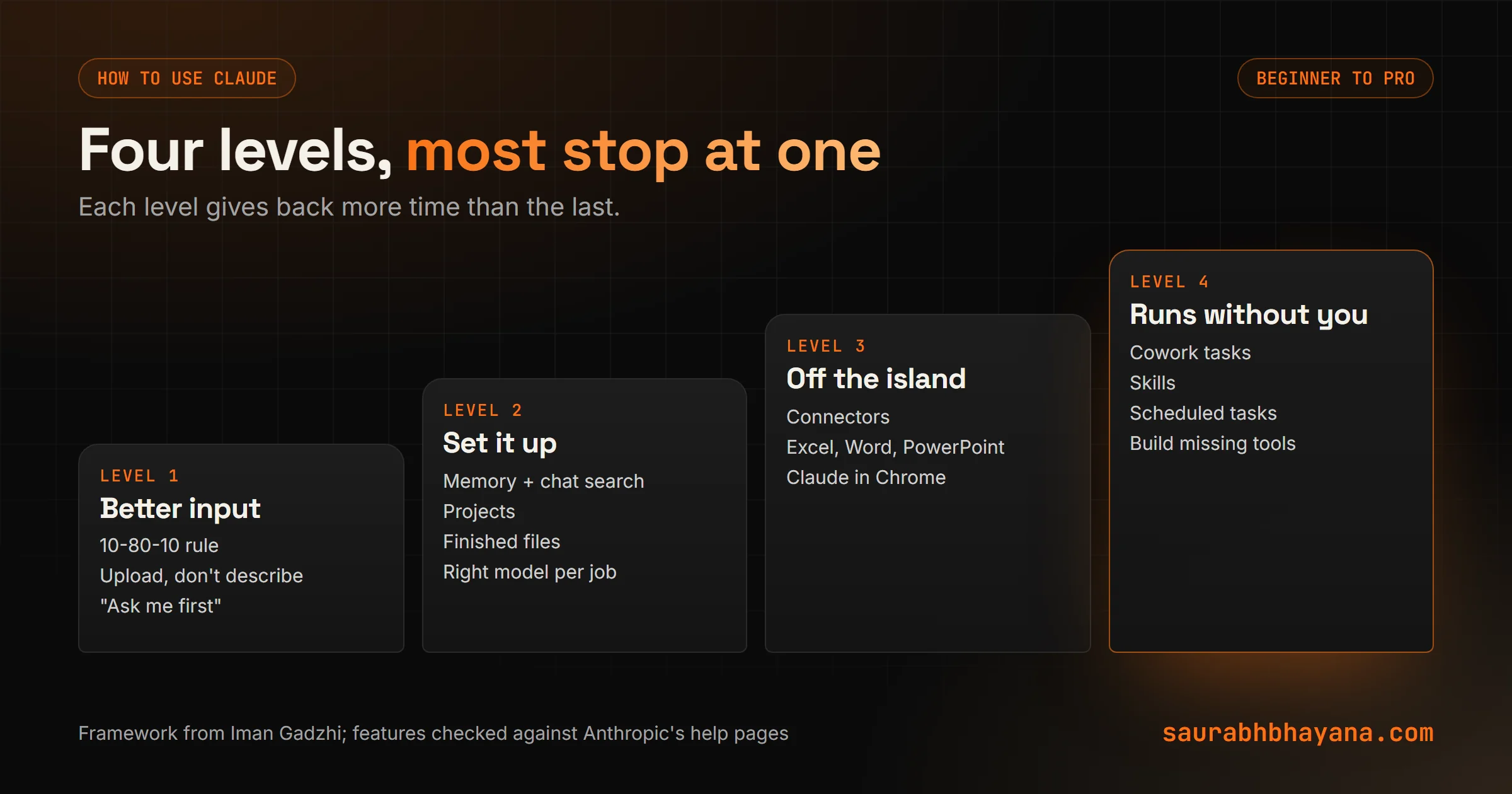
Level 1: How to use Claude for beginners (the 10-80-10 rule)
Think of building a house. You lay the foundation, the builder puts up the walls, and you come back for the finishing. Iman calls it the 10-80-10 rule: you bring the first 10 percent, the context. Claude does the middle 80 percent, the actual work. You come back for the last 10 percent: checking, fixing and tightening.
AI slop is what you get when you skip the first 10 percent and the last 10 percent.
Three ways to get that first 10 percent right:
- •Give context along with the task. "Five marketing ideas" gets ideas for any business on earth. "Five marketing ideas for my weekend dog-grooming side business, budget $50 a month, customers within 5 miles" gets ideas for yours.
- •Show, don't describe. Upload the contract, the spreadsheet screenshot, the PDF, even a photo of your notebook. It is faster than explaining and Claude reads it more accurately.
- •Ask Claude to ask you. End with "Before you answer, ask me any questions you need." It tells you what is missing instead of guessing.
Do this and the eight rounds of "no, try again" become two or three. If you want the theory behind why context matters so much, our guide to prompt, context and harness engineering explains it in plain English.
Level 2: Claude memory, projects and the right model
Turn on Claude memory and chat search
Memory is what Claude keeps about you across conversations: who you are, how you like answers, what you are working on. Chat search lets it look back through your past chats, so you can say "find the pricing chat from last month" and get a link back to it.
Where the switches live depends on your app version: look in Settings under Memory, or under Capabilities, or Your Claude in the newer layout. Turn on both chat search and memory from chat history. Claude does not pull anything from incognito chats, so use those for anything you don't want remembered.
Moving from ChatGPT? Claude's memory import gives you a prompt to paste into your old AI. Paste its answer back into Claude and your context comes with you.
Use Claude projects for ongoing work
A project keeps the files, instructions and chats for one piece of work together, like one client or one product launch. Upload the brief and brand notes once, and every chat in that project starts with them. Chat search also stays inside the project, so client work doesn't leak into other chats.
Ask for finished files
Claude can hand you a working Excel file with formulas, a PowerPoint deck, a Word document or a PDF. Ask for the file, not "the content for" the file. It saves the copying and rebuilding step entirely.
Match the model to the job
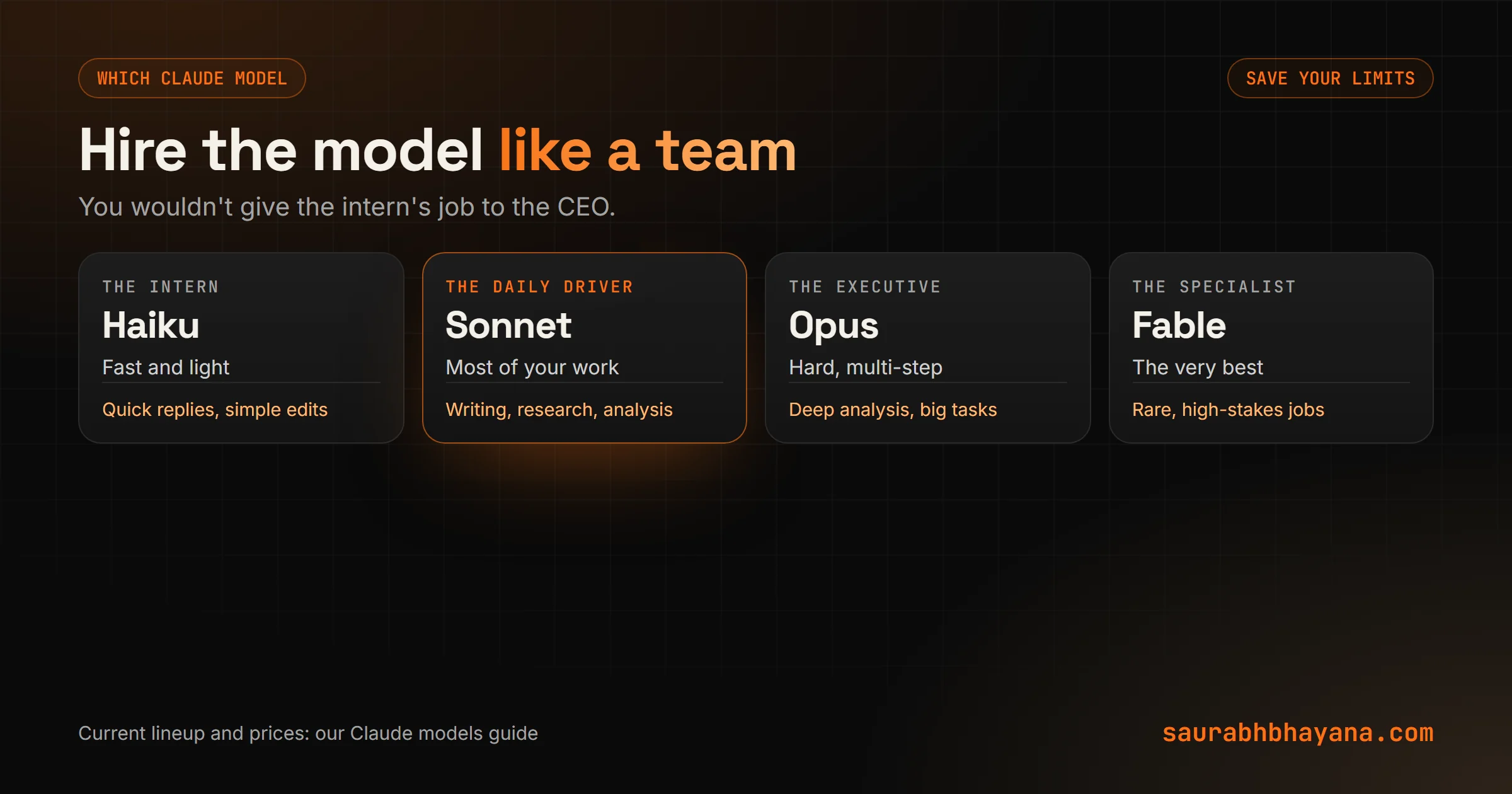
Hit a usage limit mid-task and you will remember this one. Iman's analogy is a team: you don't hand the intern's job to the CEO. Use the light, fast model (Haiku) for quick back-and-forth, the everyday model (Sonnet) for most work, Opus for hard multi-step analysis, and save the top model (Fable) for the jobs that really need it. Our Claude models guide has the current lineup and prices.
Level 3: Get Claude off the island
At level 2, Claude is smart but stuck on an island. You copy things into it and carry its answers back out. Level 3 is where Claude goes to where your work already lives.
- •Connectors: Gmail, Google Calendar, Drive, Slack, Notion and many more. Connect two or three you use daily, not all of them. "What did I miss in Slack while I was off?" or "draft replies to the emails that need one" save real time every morning.
- •Microsoft 365 add-ins: Claude for Excel, Word and PowerPoint became generally available on paid plans in May 2026, with Outlook in beta. Claude writes formulas into the cells of the spreadsheet you already have and edits the deck you already built.
- •Claude in Chrome: the browser extension reads, clicks and types on web pages for you. Comparing six quotes in six tabs is a good first job.
Our full guide to Claude in Chrome covers setup, five business uses and the safety rules Anthropic recommends.
Level 4: Claude Cowork, skills and scheduled tasks
What is Claude Cowork?
Cowork is Claude's mode for multi-step work. You describe the outcome, Claude shows you its plan, and once you approve it does the work: organising files, building spreadsheets and decks, pulling research together. With the desktop app it can read and write files, but only in the folders you connect. Tasks run on Anthropic's servers, so the work continues if you close your laptop.
Picture a new client's documents dumped into one messy folder: contracts, invoices, an onboarding form. Point Cowork at the folder, say how you want it organised, check its plan, and it is done in minutes.
Turn repeat jobs into skills
Iman's rule: if you have done the same thing four or five times, make it a skill. A skill is a saved set of instructions Claude follows the same way every time, like your Friday team update format. Our guide to what Claude skills are shows how to create one in a few minutes.
Claude scheduled tasks
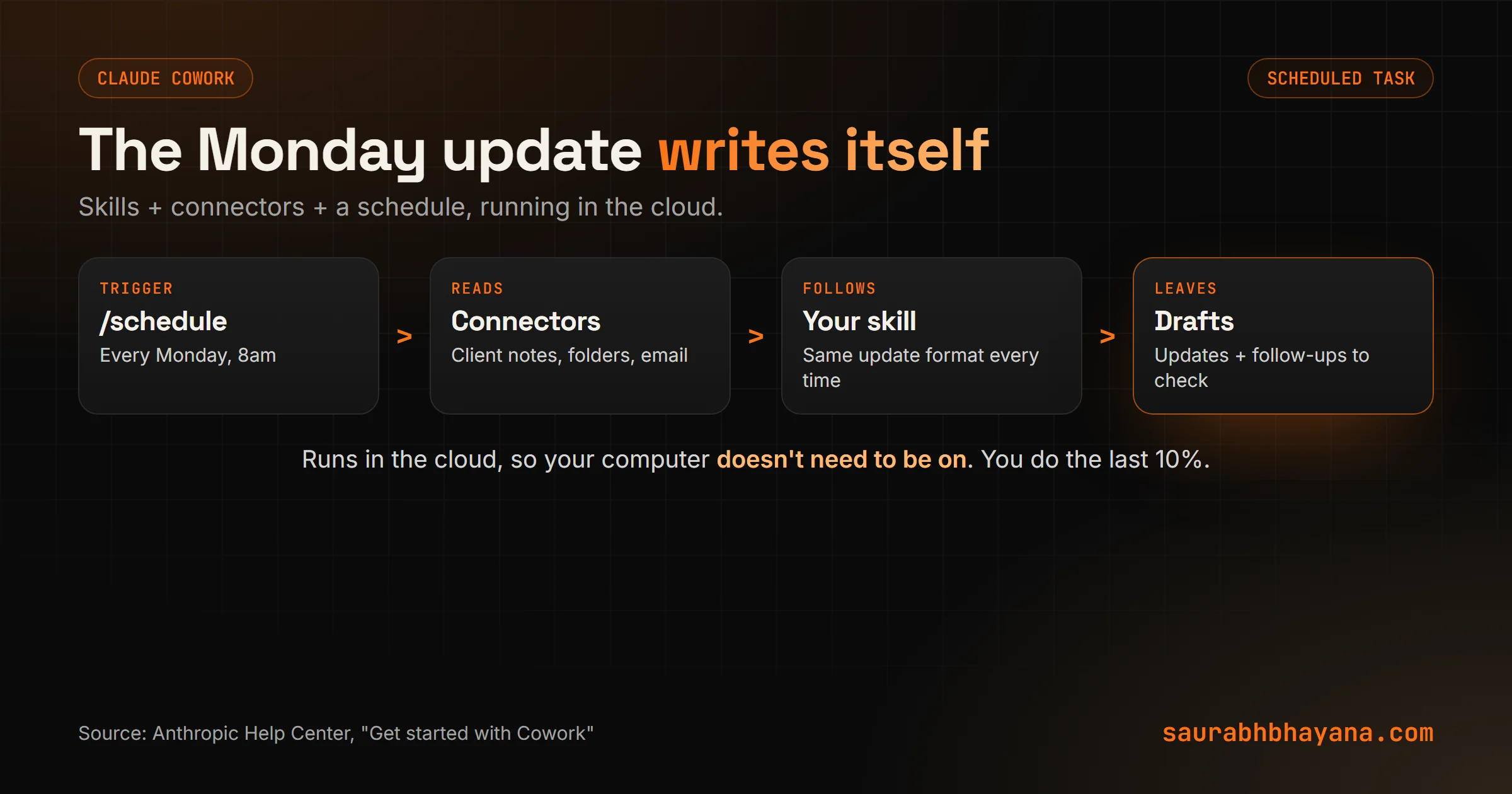
Type /schedule in any Cowork task, or open Scheduled in the sidebar, and the task runs on its own: every Monday at 8am, every month-end. Scheduled tasks run in the cloud, so they don't need your computer awake. Combine them with skills and connectors and the Monday client updates are drafted before you open your laptop.
Build the tool you are missing
The last step is building things that don't exist yet. Claude Design, launched by Anthropic Labs in April 2026, turns a description like "a dashboard of all my clients, their stage and what is overdue" into a clickable design, and can hand it to Claude Code to build the working version.
Claude tips: the five habits that matter most
- 1.Spend two extra minutes on context before you hit enter.
- 2.Upload the real document instead of describing it.
- 3.Keep each client or project in its own Claude project.
- 4.Use the lightest model that does the job well.
- 5.When you repeat a job for the fourth time, make it a skill.
One honest caveat: you don't need level 4 to get value. Plenty of people get their money's worth from levels 1 and 2 alone. Climb only when the level you are on stops being enough.
The bigger picture
Claude won't become a different tool tomorrow. What changes is how you use it. The gap between people who get a few minutes a day out of it and people who get hours back is almost never the model. It is the habits and the setup.
So, which level are you on right now? Pick one thing from the next level and set it up today. If you want help building skills and scheduled routines for your business, tell us which jobs repeat every week.
Sources: Iman Gadzhi's video on YouTube at youtube.com/watch?v=LqCPwQ1IcA4; Anthropic Help Center, "Get started with Cowork" and the memory and chat search article; Claude blog, "Collaborate with Claude across Excel, PowerPoint, Word and Outlook"; Anthropic, "Introducing Claude Design by Anthropic Labs".
Frequently asked questions
How do I use Claude for the first time?+
Give it real context about your situation, upload the document you are working on instead of describing it, and ask it to ask you questions before it answers. Then check and polish the result yourself.
What is the 10-80-10 rule for AI?+
You provide the first 10 percent of the work as context, the AI does the middle 80 percent, and you review and refine the last 10 percent. It is how AI-assisted work avoids sounding like AI slop.
How does Claude memory work?+
Memory keeps information about you across conversations, and chat search lets Claude look back through past chats. You switch them on in Settings; the exact menu depends on your app version. Claude does not use incognito chats.
What are Claude projects?+
Projects group the files, instructions and chats for one piece of work, such as a client. Everything you upload to a project is available to every chat in it.
What is Claude Cowork?+
Cowork is Claude's mode for multi-step tasks. You describe an outcome, approve Claude's plan, and it organises files, builds documents or researches for you, working only in the folders you connect. Tasks run on Anthropic's servers.
Can Claude run tasks on a schedule?+
Yes. Type /schedule in a Cowork task or open Scheduled in the sidebar. Scheduled tasks run in the cloud, so your computer doesn't need to be on.
Which Claude model should I use?+
Use a light model like Haiku for quick tasks, Sonnet for most everyday work, and Opus or Fable only for hard multi-step work. Matching the model to the job makes your usage limits last longer.
Read next
My team and I automate the work that eats your hours with AI, and get your business found on Google, Maps and in AI answers.