
Claude in Chrome: What It Is, How to Set It Up, and 5 Jobs It Does Well for a Small Business
Claude in Chrome lets Claude read, click and type in your browser, and since August 2026 it runs as a Cowork session. Here is how to set it up, five business jobs it handles well (including competitor ad research in the Meta Ad Library), and the safety rules to follow.
Imagine six quotes from six builders, open in six browser tabs. Different prices, different timelines, fine print buried in every one. You could spend your evening reading them. Or you could tell Claude what matters to you and let it read all six and tell you which two are worth a call.
That is Claude in Chrome. It goes further than answering questions about a page you paste in. It works inside your browser: reading pages, clicking, typing, moving between tabs. And since August 2026 it has quietly become a lot more useful, because the side panel now runs as a Claude Cowork session.
This post explains what Claude in Chrome is, how to set it up, five business jobs it handles well, and the safety rules Anthropic itself recommends. Two of the workflows come from YouTube creators, Damini Tripathi and Naresh Jangu, who use it for marketing research. Both videos are linked at the end.
What is Claude in Chrome?
Claude in Chrome is an extension for Google Chrome that lets Claude see the page you are on and act on it: click links, type into fields, fill forms and navigate between pages, using the accounts you are already signed in to.
A lot of people think it is just a chat box that sits next to a website. Not really. The chat box is the old idea. This one does the clicking. You can also drag several tabs into Claude's tab group so it works across all of them on a longer task.
What changed in August 2026: the side panel is now Cowork
On 12 August 2026 Anthropic announced that the Claude in Chrome side panel is now a Claude Cowork session. Before that, browser conversations lived on their own. Now they are saved to your history, sessions follow your account across devices, and the skills and connectors you set up in Claude work in the browser too. You can start a task in a Chrome tab and finish it in the desktop or phone app.
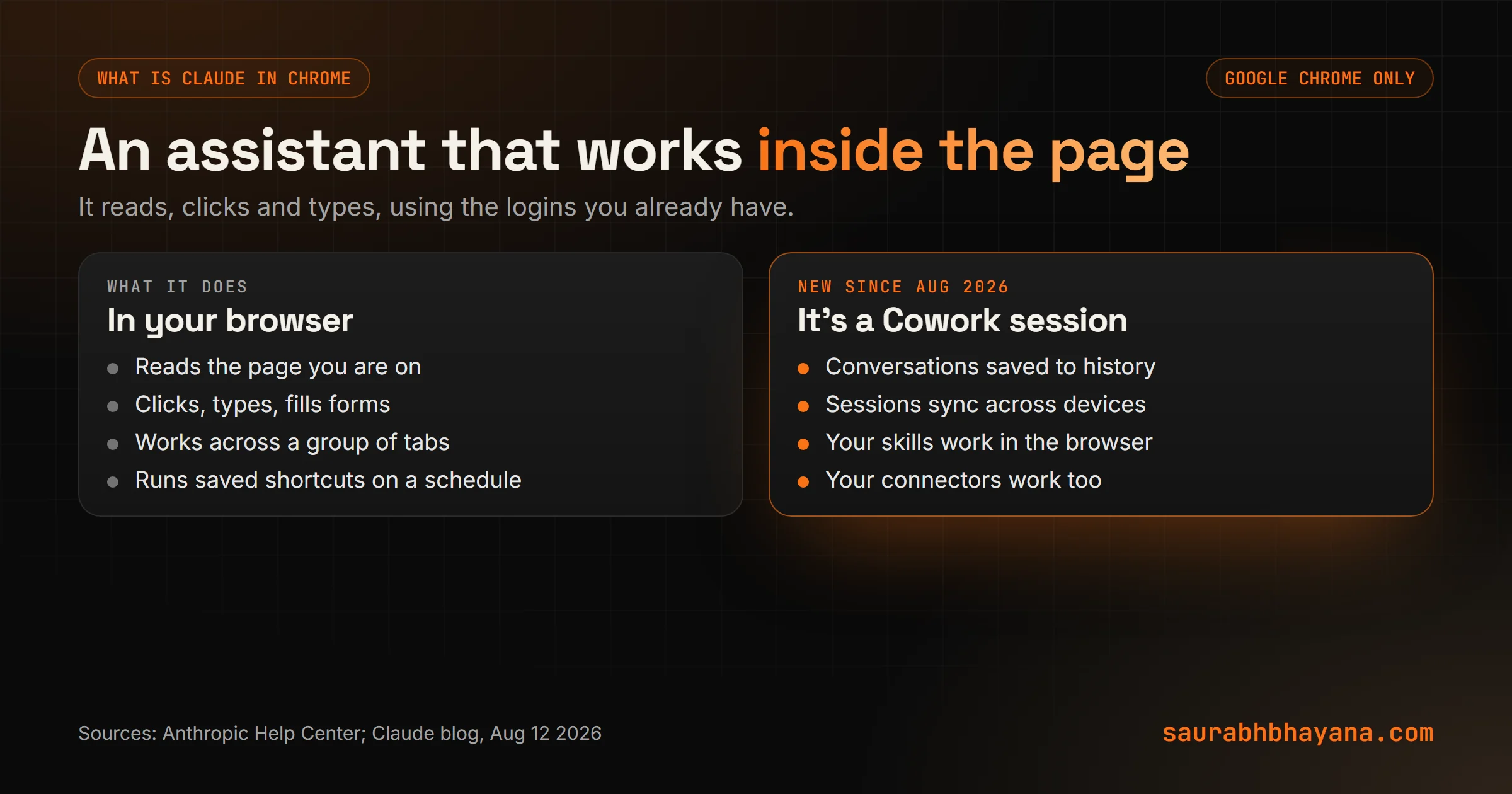
If skills are new to you, our guide to what Claude skills are explains why that matters: a skill you wrote once, like your report format, now works on the page in front of you.
How to use Claude in Chrome: setup in five minutes
- 1.Check your plan. Claude in Chrome needs a paid Claude plan. Anthropic rolled the new Cowork side panel out to Max and Team first, then Pro. On Enterprise plans an admin has to switch it on.
- 2.Use Google Chrome on a computer. Other Chromium browsers and mobile devices are not supported.
- 3.Install the extension from the Chrome Web Store, sign in with your Claude account, and pin it to your toolbar.
- 4.Grant the permissions it asks for. Each one has a stated purpose, such as clicking, typing and taking screenshots.
- 5.If you use the Claude desktop app, connect it under Settings, Customize, Connectors, and switch Claude in Chrome on. It is off by default in each chat.
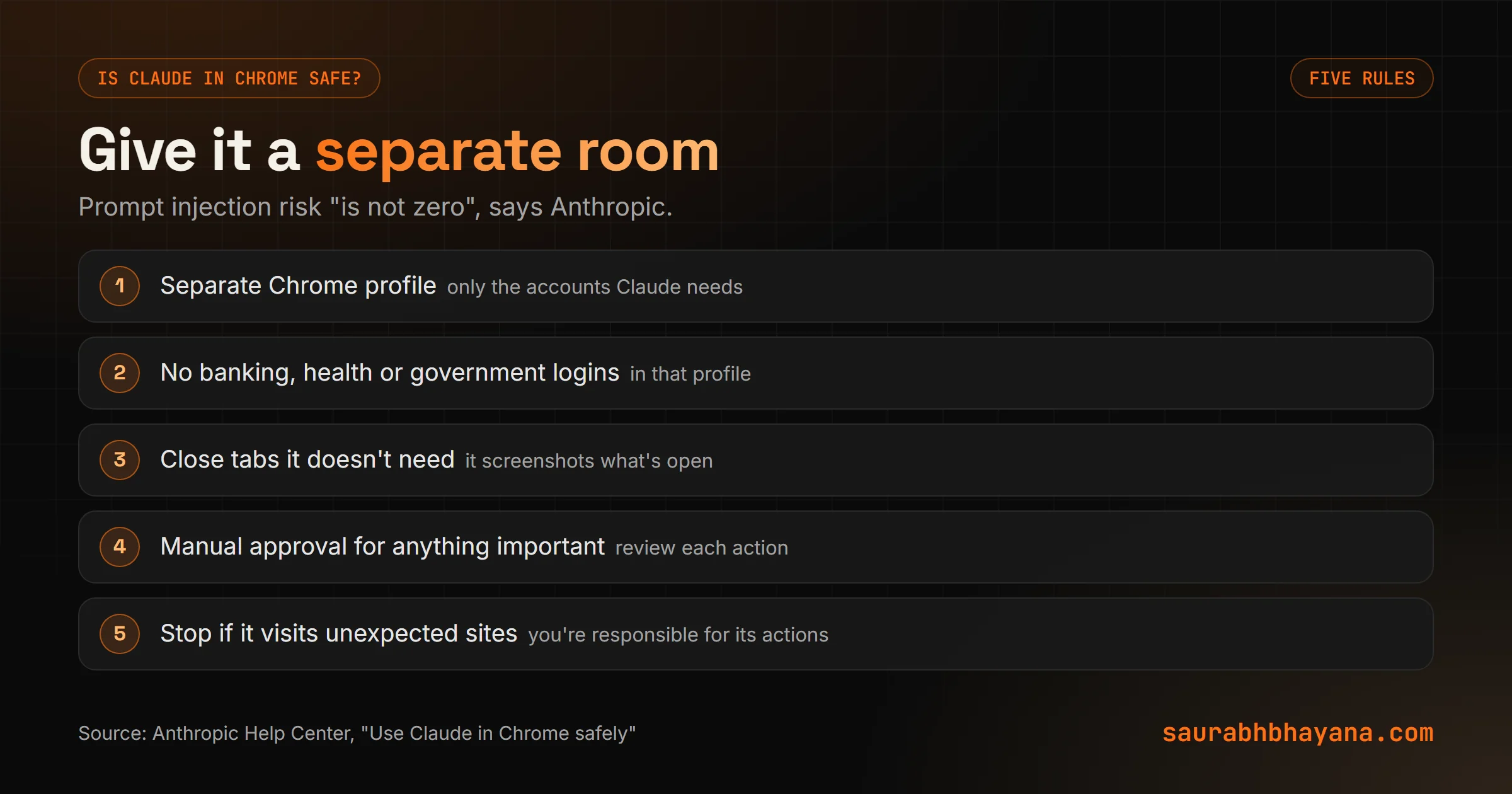
Before anything else, create a separate Chrome profile for Claude, signed in only to the accounts it needs. Anthropic recommends a profile without banking, healthcare or government logins.
5 jobs Claude in Chrome does well for a small business
1. Competitor ad research in the Meta Ad Library
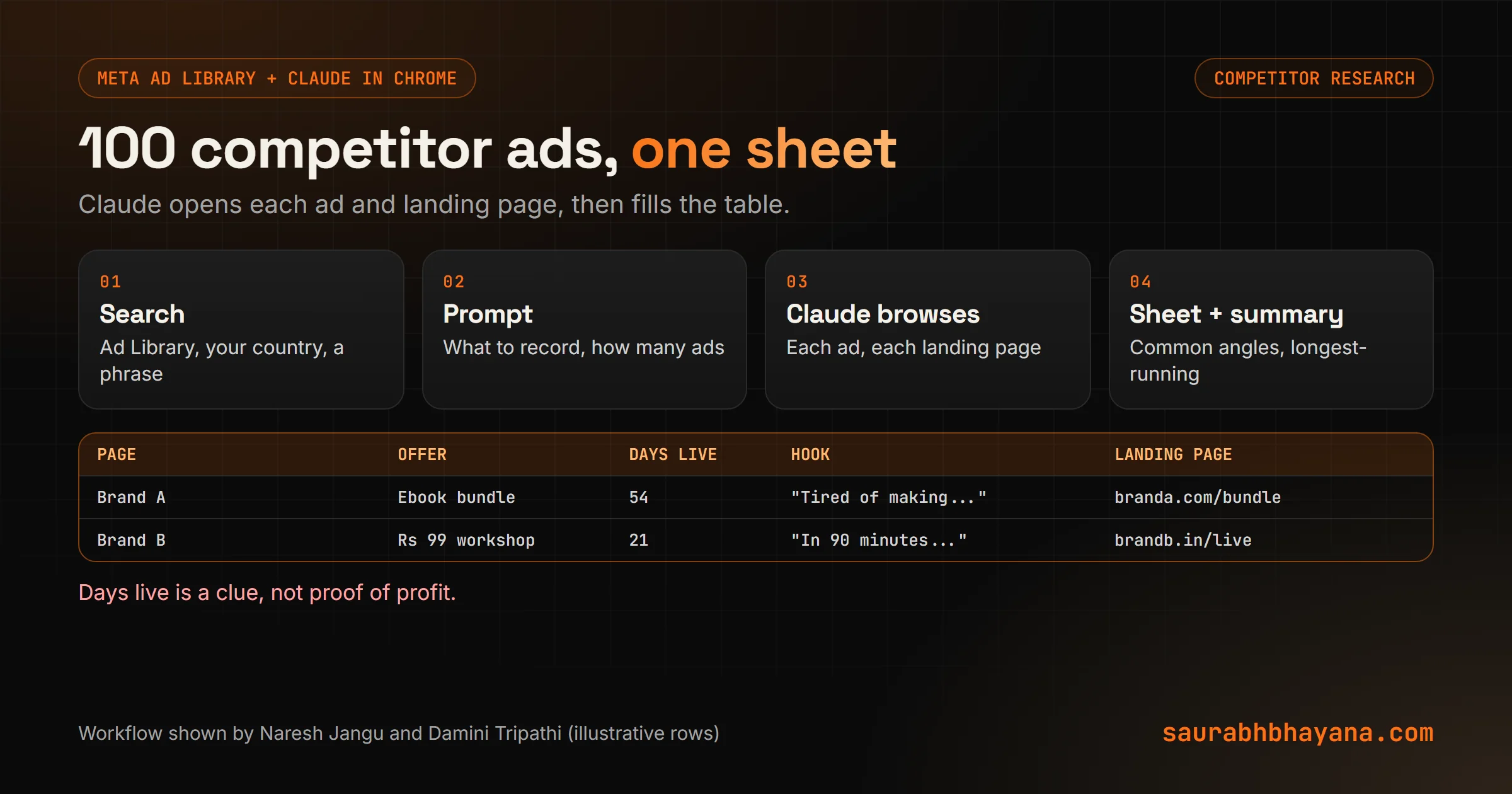
This is the workflow both creators show. Open the Meta Ad Library, set the country, search a phrase like "skincare" or "ebook", and ask Claude to go through the ads: what each advertiser offers, the hook, the landing page, and how long each ad has been running. Naresh Jangu asks for around 100 ads and gets the result back as a Google Sheet with the page name, start date, category, offer, short description and landing page link.
I sell [your product] in [country]. Go through the ads on this Meta Ad Library
search. For up to 50 advertisers, record: page name, ad start date, days live,
product or offer, price if shown, the hook in the first line, and the landing
page URL. Put it in a Google Sheet, then summarise the five most common angles
and the three offers that have run the longest.
One honest caveat. Both videos treat "this ad has run for 54 days" as proof that it is profitable. It is a useful clue, not proof: some advertisers keep losing ads running by mistake, or run them for brand awareness. Use days live to build a shortlist, then look at the offer yourself. Damini also notes that a deep research run like this can take half an hour or more.
2. Compare quotes and proposals across tabs
Put every quote in Claude's tab group and tell it what you care about: total cost, start date, warranty, payment terms. Ask for a table and a short recommendation. It is the job from our opening example, and it turns an evening of reading into a few minutes of checking.
3. Audit a competitor's website or Instagram
Open a competitor's site or public profile and ask what they promise, how they price, which posts get the most engagement, and what they do that you don't. Damini's tip is to do this from an account you don't mind risking, not your main business account. We would go further and use the separate Chrome profile above.
4. Weekly checks on a schedule
Save any prompt as a shortcut by typing "/", then use the clock icon to run it daily, weekly, monthly or yearly. For example: every Monday, check three competitors' pricing pages and your own Google reviews page, and send a short summary. A one-off task becomes a routine you never have to remember.
5. Fill repetitive web forms
Submitting the same business details to ten directories, or copying rows from a sheet into a web form, is exactly the kind of clicking Claude can take over. Set it to manual approval and watch the first few, because forms are where mistakes cost you.
Is Claude in Chrome safe?
Mostly, if you set it up carefully. But Anthropic is unusually direct about the risks, and you should read them before you let it loose.
- •Prompt injection: a web page, email or document can hide instructions meant to trick Claude. Anthropic screens for this, but says "the risk is not zero".
- •Screenshots: Claude takes screenshots of open tabs, so anything visible on screen can be captured. Close what it doesn't need.
- •Sensitive work: Anthropic advises against using it for financial accounts, legal documents, medical information or work accounts with sensitive company data.
- •Approval mode: the side panel defaults to automatically approving its own steps. Switch to manual approval to review every action.
- •Responsibility: you are responsible for what Claude does in your browser, including messages sent, purchases and data changed.
Claude still asks before irreversible or costly actions, like a purchase or sharing personal data, and a separate check compares actions such as submitting a form or sending a message against your original request. Good guardrails. Not a reason to skip your own.
Claude in Chrome vs Cowork vs Claude Code
| Claude in Chrome | Cowork (desktop app) | Claude Code | |
|---|---|---|---|
| Works in | Your Chrome browser | Folders on your computer | Your code and terminal |
| Best for | Websites, logged-in tools, research | Files, documents, scheduled routines | Building and fixing software |
| Example | Compare six quotes in six tabs | Sort a client's documents folder | Build a dashboard |
Since the August change they share one history, so a browser task and a desktop task can be the same conversation. Our guide to how AI agents work for a small business covers when handing over this much control makes sense.
When you don't need it
For a single page, copying the text into a normal chat is still faster. Browser tasks are slower than they look in demos, and long runs use more of your plan's limits. Claude in Chrome earns its place on jobs with many pages, many tabs, or many repeats.
The bigger picture
For years, AI assistants waited for you to bring them the work. Claude in Chrome goes to where the work already is: the logged-in tools and websites you use every day. That is a real shift, and it is why the safety rules matter as much as the features.
So, which browser job eats an hour of your week? Try it on that one first, with a separate profile and manual approval. If you want help turning it into a weekly routine, tell us what you'd hand over.
Sources: Anthropic Help Center, "Get started with Claude in Chrome" and "Use Claude in Chrome safely"; Claude blog, "The Claude in Chrome side panel is now Claude Cowork", August 2026; Damini Tripathi's Claude for marketing video at youtube.com/watch?v=e_apbxTjvrU; Naresh Jangu's product research video at youtube.com/watch?v=xNpfTc1-LUU.
Frequently asked questions
What is Claude in Chrome?+
A Google Chrome extension that lets Claude read web pages and act on them for you: clicking, typing, filling forms and moving between pages and tabs, using the accounts you are signed in to.
Is Claude in Chrome free?+
No. It needs a paid Claude plan. Anthropic rolled out the newer Cowork-based side panel to Max and Team first, then Pro, and on Enterprise plans an admin has to turn it on.
What changed with Claude in Chrome in August 2026?+
The side panel became a Claude Cowork session. Conversations are saved to your history, sessions sync across devices, and your skills and connectors work in the browser.
Does Claude in Chrome work in Edge, Brave or on mobile?+
No. Anthropic says it works in Google Chrome only, not other Chromium browsers or mobile devices.
Is Claude in Chrome safe?+
It has safety checks and asks before costly or irreversible actions, but Anthropic says prompt injection risk is not zero. Use a separate Chrome profile, keep financial, medical and government accounts out, and use manual approval for important tasks.
Can Claude in Chrome run tasks on a schedule?+
Yes. Save a prompt as a shortcut, then use the clock icon to run it daily, weekly, monthly or yearly.
Can I use Claude in Chrome for Facebook Ad Library research?+
Yes. Ask it to go through a Meta Ad Library search and record each advertiser, offer, hook, start date and landing page in a sheet. Treat how long an ad has run as a clue, not proof that it is profitable.
Read next
My team and I automate the work that eats your hours with AI, and get your business found on Google, Maps and in AI answers.